Elysys Wealth - Accumulators/Decumulators
This document describes the standard functionalities of the Accumulators module within Elysys Wealth, as well as the required setup.
An accumulator is a structured financial product that allows an investor to buy a stock at a discount to the current market price over a period. However, if the stock price falls below a certain level, the investor is obligated to buy more shares, potentially increasing their exposure.
Key Features of Accumulators
- Strike Price: The predetermined price at which the investor agrees to buy the stock.
- Knockout Price: A price level below which the accumulator terminates. If the stock price drops to or below this level, the contract expires and the purchase stops.
- Guaranteed Period: The duration over which the contract operates, usually ranging from a few months to a year. In this period, the purchase continues until the end of the period, even if the market price reaches the “Knockout price”.
- Leverage: Accumulators often involve leverage, meaning the investor can control a larger number of shares with a smaller initial investment. This is the leverage factor used if the underlying price drops below the strike price.
Notes:
|
|
|---|
Investment Type
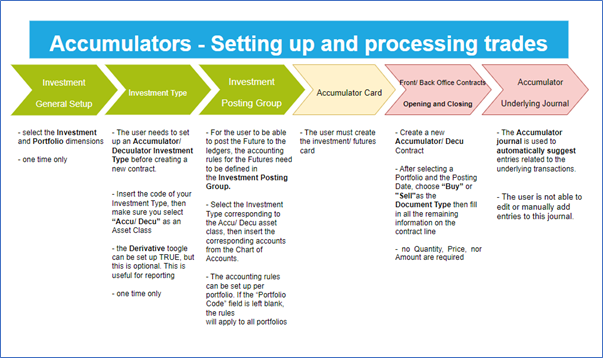
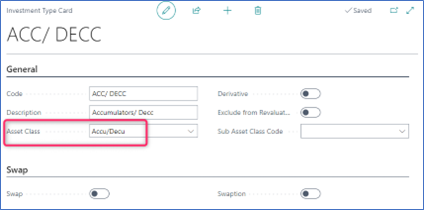
Now, we need to define all Investment types that will be used throughout the investment module with their accounting rules. Investment types must be defined according to how investments are grouped and accounted for. It is the equivalent of the product posting group in Business Central. Investment types are required for every Investment product ranging from Equities to Options and Forex products plus Private Equity.
- Code: Specifies the code to identify the Investment Type.
- Name: Specifies the name for the Investment type.
- Asset Class: Specifies the asset class relating to the investment type being created. The Asset Class defines how the investments are managed / handled by Elysys Wealth as each asset class uses its own logic. This must be Accu/Decu.
Investment Posting Group
Once all investment types are created, the accounting rules must be specified using the Investment Posting Group.
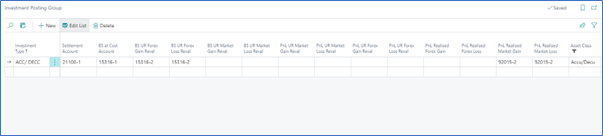
Accounting rules allow Elysys Wealth to know which account to use in the process of creating all accounting entries when booking investment trades. The Investment posting group page is one of the setup pages used by the module along with the coupons posting group, the forex posting group, the options posting group, the dividends posting groups and so on.
For each of the Investment type belonging to those asset classes a nominal account is required for the following accounts:
- BS at Cost Account: Specifies the General Account used to book cost related entries such as purchase and sales type entries
- BS UR Forex Gain/Loss Reval: Specifies the Balance Sheet General account used to book unrealised forex gain and loss calculated by the revaluation.
- BS UR Market Gain/Loss Reval: Specifies the balance Sheet General account used to book unrealised Market gain and loss calculated by the revaluation.
- PnL UR Market Reval: Specifies the Profit and Loss General account used to book unrealised Market gain and loss calculated by the revaluation.
- PnL UR Forex G/L Reval: Specifies the Profit and Loss General account used to book unrealised forex gain and loss calculated by the revaluation.
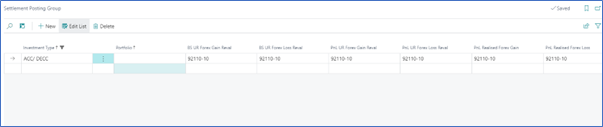
If the Trade Date accounting is used, the user must set up the Settlement Posting Group too by filling the PnL Realised Forex Gain and PnL Realised Forex Loss accounts.
The Investment Card
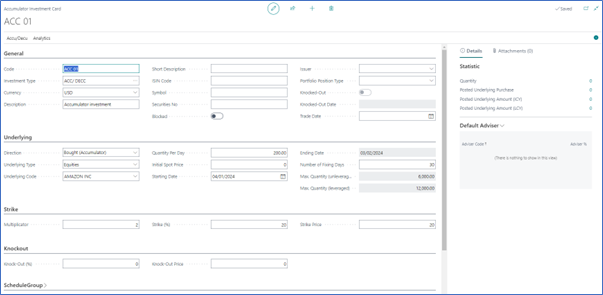
Each investment (accumulator) must have an investment card. The card will contain the referential data relating to the investment.
Mandatory fields to be filled on the investment card:
- Code,
- Investment Type,
- Currency,
- Description,
- Direction,
- Underlying Type,
- Underlying Code,
- Quantity Per Day,
- Starting Date,
- Ending Date,
- Number of Fixing Days (Total number of fixing days planned for the whole contract, if no knock-out event occurs),
- Multiplicator,
- Other relevant fields.
Schedule Generation
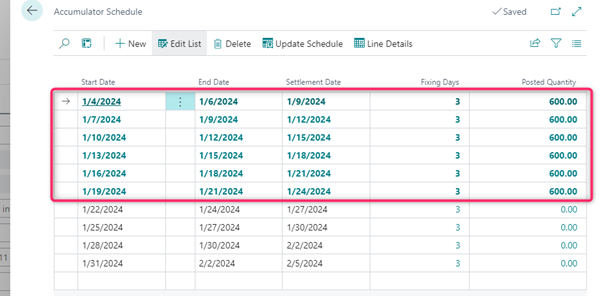
To generate the underlying transactions, you will need to have the settlement schedule for the accumulator/decumulator. This is found on the “Schedule” page and is generated automatically based on the details added on the accumulator card.
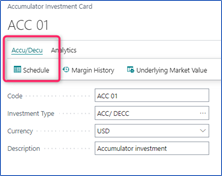
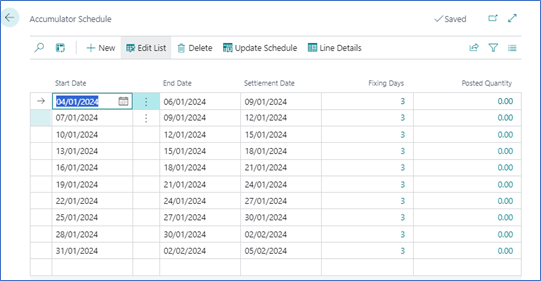
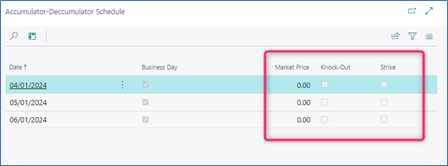
The schedule lists the periods, and for each period there is the possibility to review the details by clicking on the flowfield “Fixing Days”. The same result is achieved when accessing the “Line Details”. Here is displayed information related to the Market Price, Strike and the Knock-Out Price for the accumulator. The Boolean fields will be automatically changed if:
- Market price drops below the strike price,
- Market price goes above the knock-out price.
The “Update Schedule” function will generate/ refresh the schedule using the details added by the user to the accumulator card. If a necessary field is missing, there will be an error message displayed.
However, the user will be able to manually modify the schedule dates once generated or create/delete lines.
If a schedule is already generated and a schedule line has posted quantity, an error message will be displayed: “Underlying transactions have already been posted. Reverse underlying transactions to be able to recreate the whole schedule.”
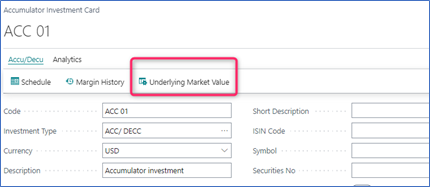
The underlying’s price can be reviewed by accessing the “Underlying Market Value” page.
Journals & Posting Procedures
1. Accumulator/Decumulator Front Office Journal
Transactions can be processed via the Accumulator/Decumulator Front Office Jnl
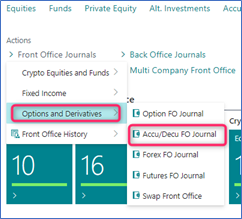
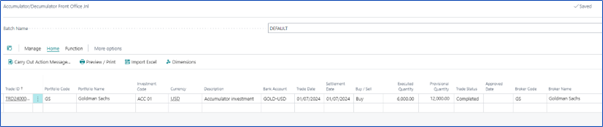
- No Quantity, no Unit Price, no Amount required to be filled in.
Once the journal is posted, the system will create the contract in the middle office. If the middle office is skipped, the contract will be created in the back office.
2. Accumulator/Decumulator Middle Office Journal and Accumulator/Decumulator Back Office Journal
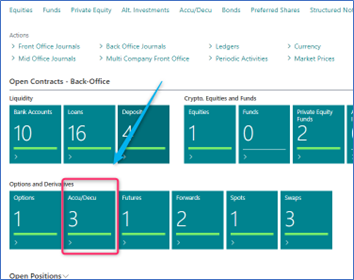
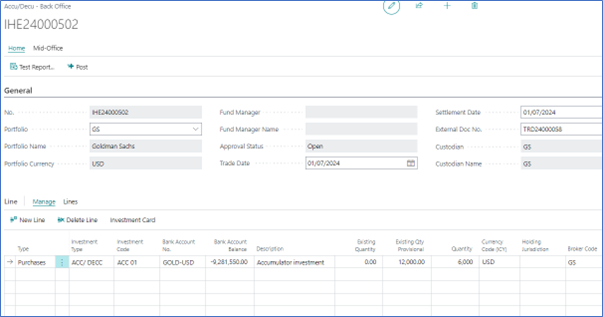
- No Quantity, no Unit Price, no Amount required to be filled in.
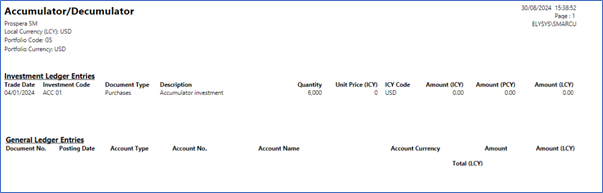
- Posting will generate entries in the investment ledger entries with quantity = 1 and amount = 0
- No entries generated in the income ledger, nor in the general ledger.
The following accounting entries are generated in the subledger:
3. The Accumulator Underlying Journal
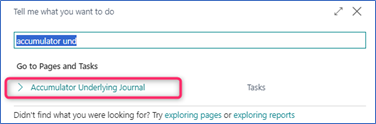
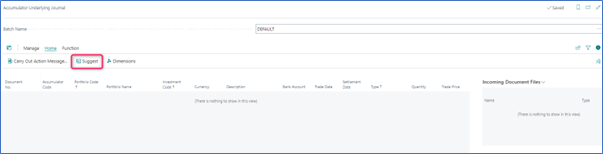
The Accumulator Journal is used to suggest and post entries related to the underlying transactions.
The user will not be able to edit or manually add entries to this journal.
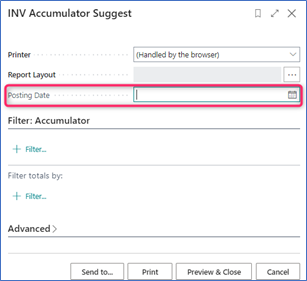
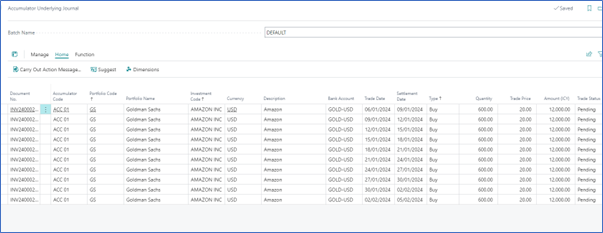
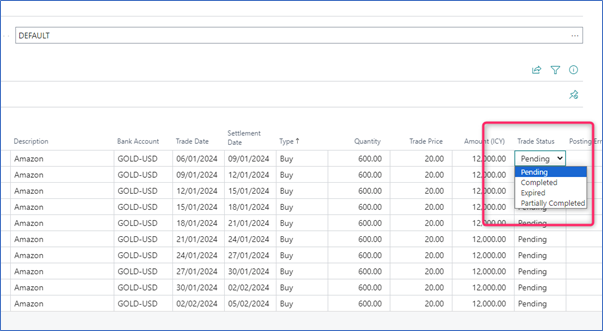
The Trade Status must be set to Complete before processing the journal lines.
Once the lines are processed, the system will mark them as posted in the Schedule. This will prevent the user from suggesting the lines again in the Accumulator Underlying Journal.
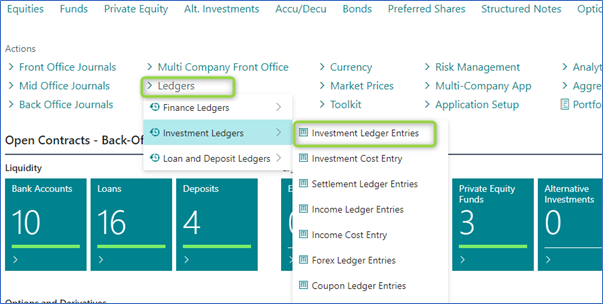
Navigate Functions
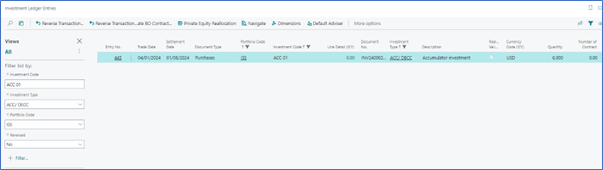
Investment Ledger Entries
Shows all the ledger entries for the relevant “Investment Code”.
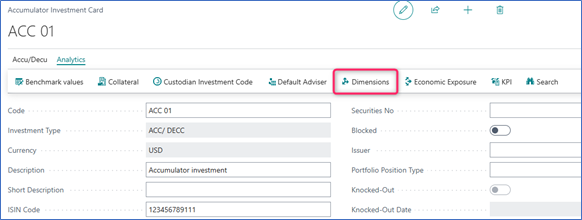
Dimensions
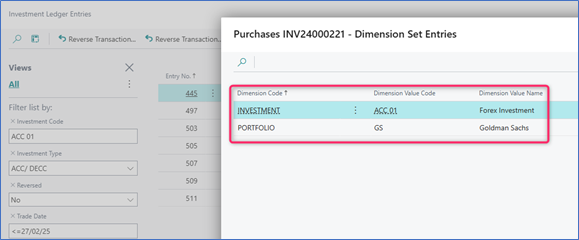
Link Dimensions to the investment card. These Dimensions will be linked to all ledger entries.